
What Meeting Room Technology You Need & Why it Makes a Difference
The Short Answer: A productive meeting room needs three things: reliable audio and video, a strong Wi-Fi connection, and a display screen that everyone can actually see. Get those right, and your meetings run smoother, your team stays engaged, and nothing falls apart when someone dials in remotely. Here’s the thing, though: sourcing and setting up all of that yourself can be tough.
Think about the last time a meeting went sideways because of technology. Maybe it was a video conference where remote participants couldn’t hear a word. Maybe someone spent 10 minutes trying to connect a laptop to the display screen with the wrong HDMI cable. Or maybe the Wi-Fi dropped right in the middle of a client presentation.
These aren’t minor inconveniences. Inefficient meetings are the number one barrier to workplace productivity, and 77% of professionals have lost time because meetings started late due to technical difficulties. When your meeting room technology doesn’t work, the ripple effects hit morale, credibility, and your bottom line.
The good news? You don’t need a massive budget or an IT department on standby to run productive meetings. You just need to know what matters and, ideally, find a meeting space that already has it covered.
The Technology That Actually Matters
Not every conference room needs a wall of monitors and a $50,000 setup. But there are a few non-negotiables that separate a productive meeting from a frustrating one. Here’s what to prioritize when evaluating your meeting room technology.
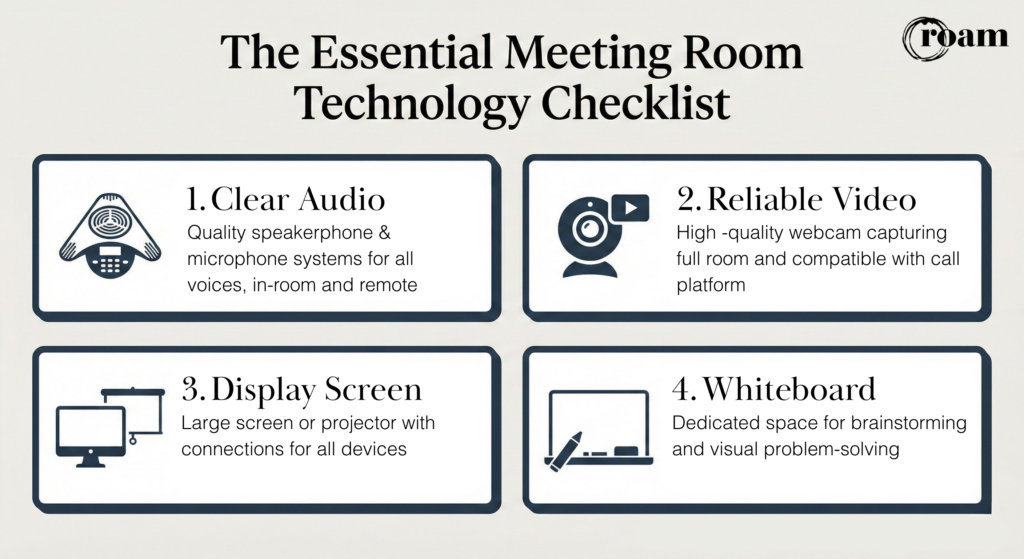
1. Crystal Clear Audio
This one gets overlooked more than it should. You can get by with mediocre video, but bad audio kills a meeting fast. If team members can’t hear each other clearly, especially remote attendees joining by phone or video conferencing, effective communication breaks down immediately.
What you need at a minimum:
- A quality speakerphone or conference phone for group calls
- A microphone setup that picks up voices from all areas of the room, not just whoever is sitting closest to the device
- Echo cancellation so remote participants aren’t hearing themselves on a delay
For smaller huddle rooms, a good speakerphone may be all it takes. For larger conference rooms or boardrooms, dedicated microphone systems become more important.
2. Reliable Video Conferencing Capabilities
Hybrid work isn’t going anywhere. Recent workplace studies show that nearly two-thirds of leaders now operate under a hybrid model, which means your conference room technology needs to support meeting participants who are both in the room and on a screen.
At a minimum, you need:
- A high-quality webcam positioned to capture the full room (not just whoever is sitting front and center)
- A display screen or projector large enough for everyone in the room to see remote participants clearly
- Compatibility with common platforms like Zoom, Microsoft Teams, or other video conferencing tools your team already uses
The goal is smooth collaboration between in-person and remote attendees. When remote participants can see and hear the room clearly, and the room can see them back at a reasonable size on screen, hybrid meetings stop feeling like two separate conversations happening at once.
3. A Display That Does the Job
Every meeting room needs a way to share visual content, whether that’s a presentation, a spreadsheet, or a shared document. The specifics depend on your room size.
- Small to mid-size rooms: An LCD screen with HDMI and USB-C inputs covers most needs. This allows meeting participants to connect personal devices quickly and share their screen without fumbling through adapters.
- Larger meeting spaces: An HD screen and projector gives you more flexibility for bigger audiences and more complex room setups.
Wireless screen sharing is a nice bonus, but at the very least, your room should have wired connection options that work with the laptops and devices your team actually uses. Nothing derails a meeting faster than realizing nobody brought the right cable.
4. Business-Class Wi-Fi
This seems obvious, but it’s worth stating plainly: your internet connection can make or break every other piece of technology in the room. Video conferencing, screen sharing, cloud-based collaboration tools… all of it depends on a strong, stable, secure connection.
Standard consumer-grade Wi-Fi won’t cut it for a room full of people running video calls, pulling up files, and connecting personal devices at the same time. Business-class Wi-Fi with enough bandwidth to handle multiple simultaneous connections is a baseline requirement, not a luxury.
5. Whiteboard Space for Real-Time Collaboration
Digital tools are great, but sometimes the best brainstorming happens when someone stands up and starts drawing on a whiteboard. Having dedicated whiteboard space in your meeting room gives teams a place to map out ideas, sketch workflows, and work through problems visually in real time.
For hybrid meetings, pairing a physical whiteboard with a webcam pointed at it lets remote participants follow along. It’s low-tech, effective, and keeps everyone in the conversation.
Why the Right Setup Changes the Outcome
Meeting room technology isn’t about having the fanciest equipment. It’s about removing friction so your team can focus on the work, not the setup.
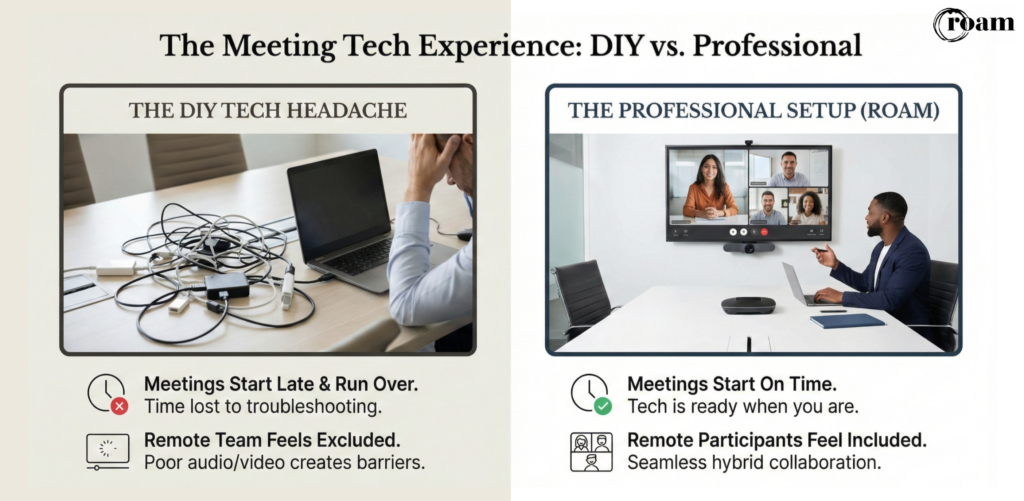
When the tech works, meetings start on time. Remote participants feel included instead of like an afterthought. Presentations run without interruption. And the people in the room aren’t distracted by troubleshooting, which means they’re actually engaged in the discussion.
For managers and team leaders, the payoff is real. Meeting quality directly impacts employee engagement, motivation, and even retention. A well-run meeting in a well-equipped room signals to your team that their time is valued.
On the flip side, consistently poor meeting experiences erode trust and team cohesion. If your team dreads meetings because they always involve 15 minutes of tech troubleshooting, that’s a problem worth solving.
The Hidden Cost of “Figuring It Out Yourself”
Here’s where many companies get stuck. They know they need better meeting room technology, but sourcing equipment, maintaining it, troubleshooting on the fly, and keeping up with compatibility across different devices and platforms takes real time and energy. Especially if you don’t have a dedicated IT team, the burden often falls on whoever is running the meeting, which means your managers are playing tech support instead of leading the conversation.
This is one of the biggest reasons more companies are choosing to hold meetings at professionally equipped spaces rather than building out their own conference rooms from scratch.
How Roam Takes the Technology Question Off Your Plate
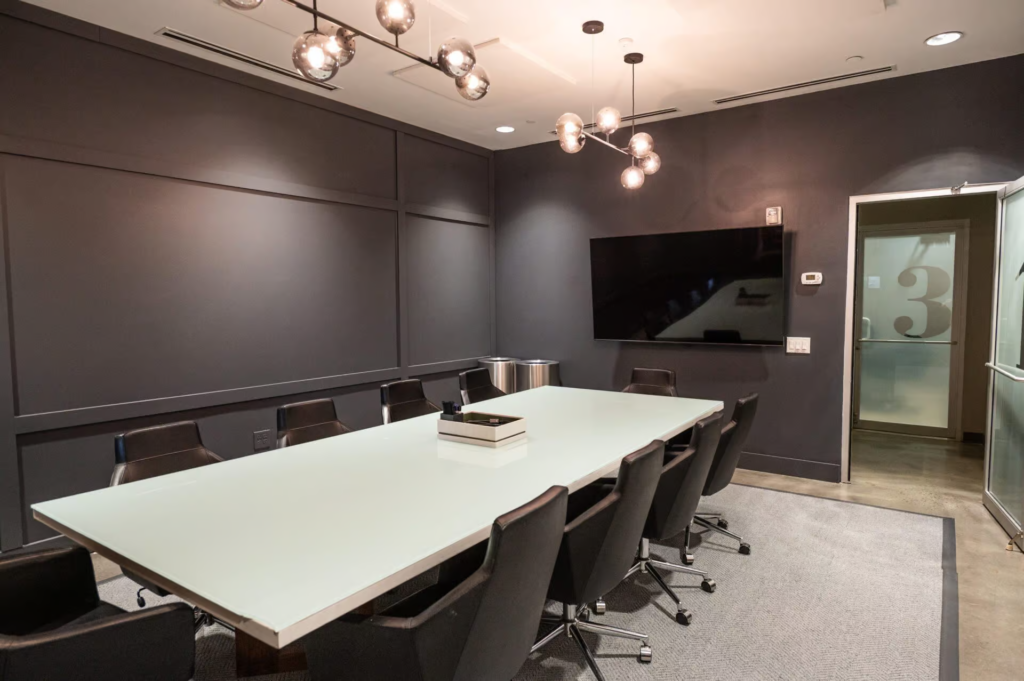
If you’re planning a team meeting, client presentation, or offsite event in Atlanta, Dallas, or Greenville, Roam’s meeting spaces come fully equipped with the technology you need, already set up and ready to go.
Every meeting room at Roam includes:
- Complimentary A/V equipment with HD display at no additional cost
- HDMI and USB-C compatible screens and projectors so your team can connect personal devices without adapter headaches
- Business-class Wi-Fi strong enough for video conferencing, screen sharing, and multiple simultaneous connections
- Conference phones, speakerphones, and webcams available at no extra charge
- Apple TV for wireless sharing from Apple devices
- Hybrid meeting technology including podium and microphone options
- Whiteboard space for brainstorming and strategizing
- Customizable room setup and seating arrangements tailored to your agenda
And here’s what sets Roam apart from simply booking a conference room somewhere: every meeting comes with a personal Meeting Coordinator. Your coordinator handles the room setup, walks you through the technology, and stays onsite to troubleshoot if anything comes up. That means you walk in, sit down, and focus on running your meeting instead of wrestling with cables and settings.
With 10 locations across Georgia, Texas, and South Carolina, Roam makes it easy to find a professionally equipped meeting space close to your team, your clients, or your next offsite destination. And because there are no food and beverage minimums and all A/V is included, you get a predictable, all-inclusive cost without surprise line items.
Ready to Stop Worrying About Meeting Room Technology?
Let Roam handle the tech so you can handle the meeting. Explore Roam’s meeting spaces or book a room today and see what a stress-free meeting experience actually looks like.